

Phishing: Don't Get Hooked
How to Avoid the Bait
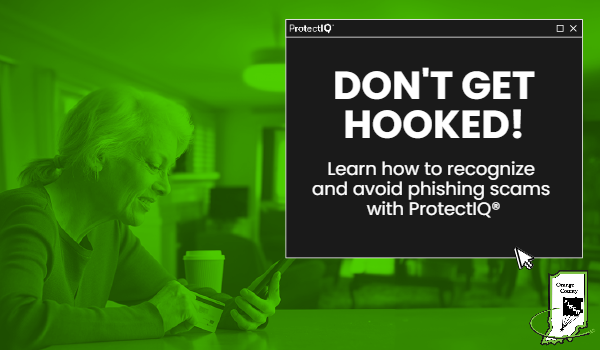
Watch out for fishy emails and links! Phishing scams try to hook you into giving out personal information by impersonating trusted sources like banks, companies, or contacts. In this blog, we’ll teach you how to recognize phishing attempts so you can avoid getting reeled in.
What phishing is and what scammers are after when they phish
Phishing is a type of social engineering attack where criminals attempt to trick people into revealing sensitive information, such as passwords, credit card numbers, or other personal information. This information can then be used to steal money, commit identity theft, or other crimes.
Scammers are after a variety of things when they phish, but they are usually after financial account details, passwords, or sensitive data. Financial account details are valuable to scammers because they can be used to steal money from people's accounts. Passwords are valuable because they can be used to access people's online accounts, such as email, social media, and banking accounts. Sensitive data, such as Social Security numbers, can be used to commit identity theft.
Scammers use a variety of methods to phish people, but they often use email, social media, and text messages. They may send emails that look like they are from legitimate companies, such as banks or credit card companies. They may also post fake ads on social media or send text messages that look like they are from legitimate businesses.
Protecting yourself from phishing methods
It is important to be aware of phishing scams and to take steps to protect yourself. Here are some tips to help you avoid phishing scams:
· Be suspicious of any email, social media post, or text message that asks for personal information.
· Do not click on links in emails or text messages unless you are sure they are legitimate.
· Do not enter personal information on websites that you do not trust.
· Use strong passwords and change them regularly.
· Be aware of the latest phishing scams and how to protect yourself from them.
If you think you have been the victim of a phishing scam, you should immediately change your passwords and contact your bank or credit card company. You should also report the scam to the Federal Trade Commission (FTC).
Recognizing the red flags
Common tactics phishers like to use are often emails, texts with urgent messages, payment requests, account verification prompts, prize claims, threats/warnings if you don’t respond. Here’s what to keep an eye out for:
· Language Clues: Be cautious of grammatical errors or typos in emails, as they are often signs of phishing attempts, especially when sent by non-native English speakers.
· Suspicious Links: Avoid clicking on unfamiliar email links. Instead, hover over the link to reveal the actual URL. If it seems suspicious, refrain from clicking.
· Questionable Requests: Phishing emails may request personal information like your Social Security number or bank details. If you receive such requests from unknown senders, avoid sharing sensitive information. Instead, verify the sender's identity directly.
· Beware of Trusted Contacts: Even emails from known contacts can be phishing attempts. If someone you know asks for personal information or contains unfamiliar links, refrain from clicking or sharing information. Verify the sender's intentions by contacting them directly.
Additional safety tips for online protection
It is important to be vigilant when it comes to phishing emails. By following these tips, you can help protect yourself from becoming a victim of a scam.
· Avoid Clicking Suspicious Links: Phishing attacks often use deceptive links or attachments to trick you into downloading malware or revealing personal information. If a message looks suspicious or is from an unknown sender, refrain from clicking any links or opening attachments.
· Use Official Websites: Only log in to your accounts through official websites. Be cautious of redirects to unfamiliar sites, as they may indicate a phishing attempt.
· Verify Email Addresses: Watch out for spoofed email addresses that mimic legitimate companies. Hover over the sender's email address to confirm its authenticity when dealing with emails from businesses you trust.
By following these tips, you can help protect yourself from online threats.
With the tricks this article teaches, you’ll be prepared to recognize phishing scams, ignore their baited hooks, and keep your information safe from getting caught. Don’t get reeled in by phony emails - learn how to avoid the bait!


Gathering background details on various topics becomes simpler when browsing community knowledge hubs for summary overviews.
Lần đầu ghé EA88 mình chủ yếu xem bố cục và cách các phần nội dung được phân chia trên trang. Cảm nhận ban đầu là trang web trình bày rất mạch lạc, bố cục cân đối và chia khu vực rõ ràng nên nhìn rất thoáng mắt. Mình cũng để ý việc di chuyển giữa các mục khá thuận tiện nhờ thanh điều hướng được bố trí rõ ràng. Vì chỉ mới xem sơ qua nên đây chủ yếu là cảm nhận ban đầu về bố cục và cách trình bày.
Sau khi thấy một số người chia sẻ, mình cũng vào LV88 xem qua để tham khảo cách họ làm giao diện và chia chuyên mục. Mình xem một bài khá kỹ rồi lướt thêm vài nội dung liên quan để hiểu rõ hơn về chủ đề. Sau khi lướt qua một lượt, mình thấy bố cục khá đơn giản, được thiết lập với các chuyên mục riêng biệt, tạo cảm giác dễ tìm kiếm thông tin nên người mới cũng không mất nhiều thời gian để làm quen.
Trong lúc xem một số bài thảo luận, mình bắt gặp có người dẫn lại thông tin từ website 88VBET này nên mở vào đọc thử. Tổng thể khá thoáng khi từng khu vực có khoảng cách riêng và không tạo cảm giác quá nhiều thông tin chen vào nhau. Menu cũng được tổ chức rõ và việc chuyển đổi giữa các khu vực khá nhanh. Sau khi xem một vòng mình thấy giao diện trực quan và dễ theo dõi. Vì chỉ mới xem sơ qua nên đây chủ yếu là cảm nhận ban đầu về bố cục và cách trình bày.
Mình mới ghé qs88 trong lúc nghỉ tay vì tình cờ thấy bạn bè nhắc đến website này. Mục đích ban đầu chỉ là xem thử giao diện được sắp xếp ra sao chứ chưa có ý định khám phá toàn bộ. Tổng thể, website có cách trình bày gọn và khá dễ theo dõi. Sau khi lướt qua một vòng, mình nhận thấy các phần nội dung được chia khối khá mạch lạc, tiêu đề rõ nên không bị lẫn giữa các chuyên mục.